
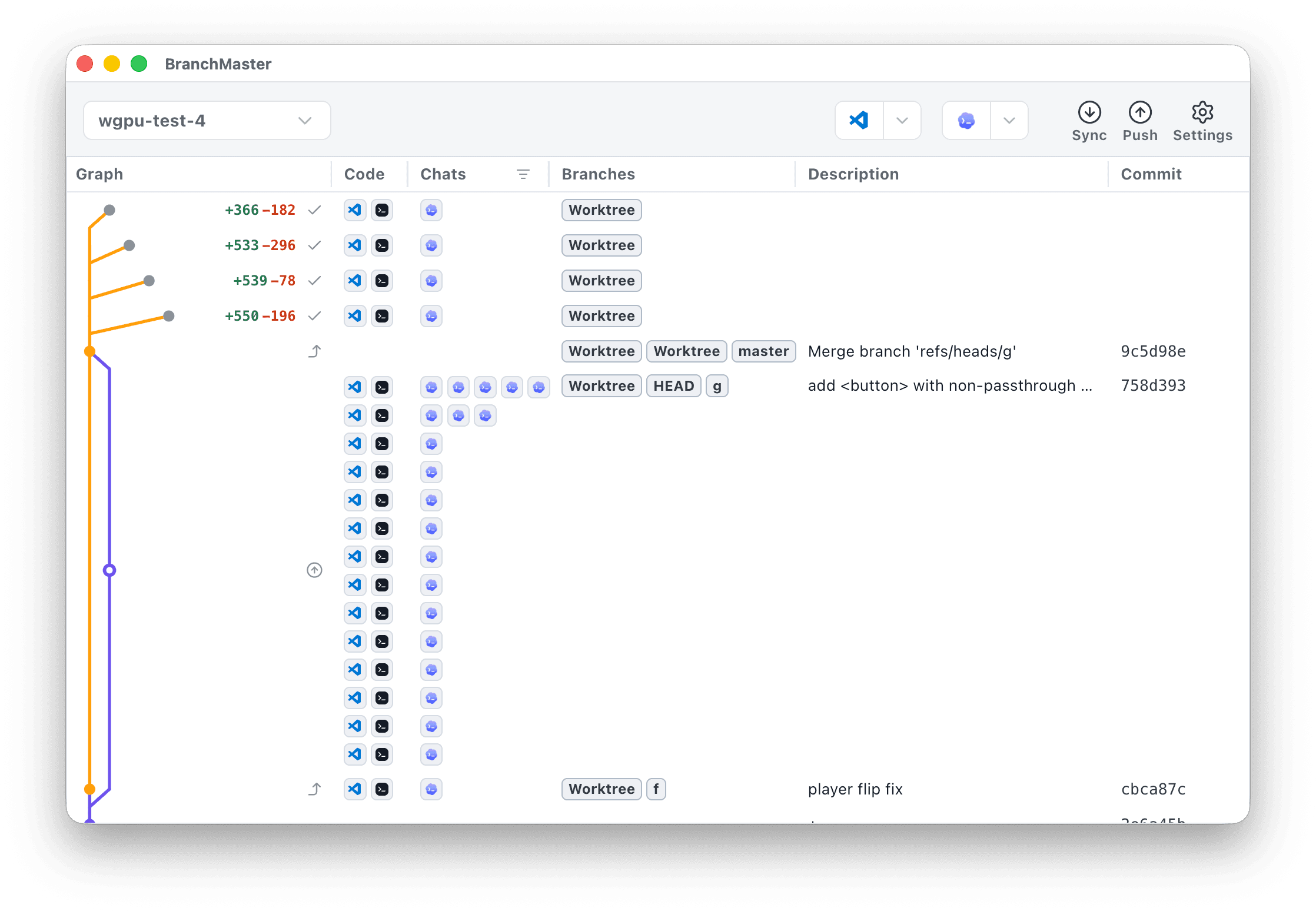
Features
- Everything on a single page
Unlike other Git visualizers, see all your worktrees, even ones with no commits or branch tags yet.
- Git power tools
Commit, branch, merge, and push without leaving the app.
We let you move branches by dragging, merge by clicking the row you'd like, and get Pull/Push summaries that actually make sense.
- Auto-sync
See where every chat lives on your Git tree. BranchMaster auto-detects your local chats and Git changes.
- Built-in safety checks
We have strong automatic safety checks when you delete branches, switch HEAD, and more, to make sure you don't lose an important commit.
Answer questions like:
- Which chats still need to be merged in?
- Which agents have changes to review?
- Which chats are on which branches?
